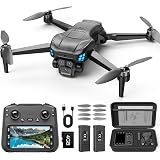
The exhilarating world of FPV drones often comes with a perceived high barrier to entry, both in skill and cost. However, as the accompanying video expertly demonstrates, embarking on a budget FPV drone build is not only achievable but immensely rewarding. There’s a unique satisfaction in seeing your own hands bring a collection of components to life, transforming them into a high-flying, agile FPV quadcopter.
For those eager to dive into the action without breaking the bank, this guide expands on the practical insights shared in the video, offering a deeper dive into component selection, essential tools, and critical soldering techniques. Whether you’re an advanced beginner or an intermediate hobbyist, understanding these elements is key to a successful DIY FPV drone project.
The Appeal of a Budget FPV Drone Build
Building an FPV drone from scratch provides invaluable experience and insight into how these complex machines operate. Opting for a budget FPV drone build allows enthusiasts to get flying sooner, often without compromising on performance for freestyle or casual cinematic pursuits. The components selected for the build in the video strike an excellent balance between cost-effectiveness and proven reliability, making it an ideal starting point.
Furthermore, the ability to repair or upgrade individual components makes a DIY drone more sustainable and cost-efficient in the long run. Crash a motor? Replace just the motor. Want better video quality? Upgrade the FPV camera. This modularity is a core advantage of the build-it-yourself approach, empowering pilots with greater control over their equipment.
Essential Components for Your Budget FPV Quadcopter
A successful FPV quadcopter build begins with carefully chosen components. The video highlights several excellent choices that offer robust performance without a premium price tag. Understanding why each component is vital helps in making informed decisions for your own custom build.
The Frame: Foundation of Your FPV Drone
The iFlight frame featured in the video is a prime example of thoughtful design. Its robust construction provides durability, a crucial factor for freestyle flying where crashes are an inevitable part of the learning curve. More importantly, its multi-stacking options and compatibility with numerous 3D-printed parts from repositories like Thingiverse offer unparalleled customization and protection. These 3D-printed additions, such as arm guards and receiver holders, significantly extend the lifespan of your quadcopter by absorbing impact and securing vital electronics.
The flexibility of having various mounting points means you can optimize the layout of your electronics for balance and accessibility. This adaptability is particularly beneficial for budget builds, allowing future upgrades or modifications without needing an entirely new frame.
The Stack: Flight Controller & Electronic Speed Controller (ESC)
Referred to as the “stack” when combined, the Flight Controller (FC) and Electronic Speed Controller (ESC) are the brain and muscle of your FPV drone, respectively. The Mamba F405 MK3 Lite edition stack is noted as one of the best budget alternatives, and for good reason. The presenter emphasizes that the ESC is the most crucial part of a quadcopter, and this is sound advice. A high-quality ESC ensures smooth power delivery to the motors, preventing desyncs and contributing to stable flight characteristics.
The integration of the FC and ESC into a single stack simplifies wiring significantly, often requiring just one primary connection between the two. This reduces clutter, saves space, and minimizes potential points of failure, making assembly cleaner and more reliable. While “Lite” might imply reduced functionality, modern budget stacks like the F405 MK3 Lite often include essential features like a 9-volt OSD (On-Screen Display) and robust power delivery capabilities.
The Video System: VTX & FPV Camera
For First Person View flying, a reliable video system is non-negotiable. The Rush video transmitter (VTX) is a community favorite, praised for its clear signal and durability. While cheaper alternatives exist, investing in a quality VTX minimizes video noise and dropouts, enhancing your flying experience and safety. A significant advantage of some VTX units, including the Rush, is the ability to change channels and output power via your FPV goggles, thanks to connections like TX3 on the flight controller. This eliminates the need to physically press buttons on the VTX, making field adjustments far more convenient.
The Foxeer T-Rex camera, despite being an “on-hand” component for the presenter, is theoretically a solid choice. In FPV, camera quality and, more importantly, *latency* are paramount. A low-latency camera ensures that what you see in your goggles is as close to real-time as possible, allowing for precise control and reactive flying. Good video quality also aids in situational awareness and cinematic captures.
Powering Up: 6S and 4S Battery Considerations
The video specifies a 5-inch 6S quadcopter build, indicating compatibility with a 6-cell Lithium Polymer (LiPo) battery. 6S batteries offer higher voltage, which translates to more power and efficiency for the right motors. However, the build is also capable of taking 4S batteries, a common alternative. The key distinction lies in motor selection: choosing different motors is necessary if opting for a 4S setup to match the lower voltage and maintain optimal performance. This flexibility allows builders to tailor the drone’s power characteristics to their flying style and budget.
Tools of the Trade: Preparing for Your DIY FPV Drone Assembly
Assembling an ultimate budget FPV drone build requires a few essential tools. Having the right equipment makes the process smoother and helps prevent common mistakes. The presenter highlights:
- Hex Driver Kit: An interchangeable bit kit saves space and ensures you have the right size for every screw.
- Wire Cutters: Essential for trimming wires to appropriate lengths.
- Soldering Iron: The most crucial tool for FPV builds. A good iron with temperature control is highly recommended.
- Braided Wires: Used for motor wire management, they keep the build clean and add a layer of protection against shorts that could damage your ESC.
- Silicon Pad: A heat-resistant surface invaluable for protecting your workbench during soldering, allowing components to be held securely without damage.
Mastering the Solder: A Step-by-Step Guide to FPV Electronics Assembly
Soldering is arguably the most intimidating aspect for newcomers to DIY FPV drone building. However, with patience and proper technique, it becomes a skill that opens up a world of customization. The video offers excellent demonstrations of key soldering practices.
Preparing the Flight Controller
Connecting peripherals to the flight controller first is a smart approach. This typically involves soldering wires for the camera, video transmitter, and receiver. The presenter details the specific pads needed: Cam, Ground, 5V for the camera; Ground, 5V, S.Bus (or R1 inverted for F.R.Sky) for the receiver; and 9V, Ground, VTX, TX3 for the video transmitter.
A common issue, as demonstrated, is solder bridging. This occurs when solder accidentally connects two adjacent pads. The fix is often as simple as cleaning your soldering iron tip and carefully dragging it across the bridge to remove excess solder, potentially with the aid of flux. The process requires a steady hand and confidence, but it’s a skill easily learned.
When connecting the receiver, understanding the various protocols like S.Bus (F.R.Sky), I.Bus (FlySky), or Crossfire (TBS) is important, as each may require a different pad on the FC. Consulting your flight controller’s documentation is always recommended. For the VTX, using the TX3 pad (if your VTX supports it) enables crucial remote control over VTX settings via your goggles, significantly improving convenience.
ESC & Power Connections: Capacitor and XT60
The ESC is where the main battery power is connected. Installing a low ESR (Equivalent Series Resistance) capacitor is a critical step often overlooked. This capacitor helps filter electrical noise generated by the ESC and motors, providing a cleaner power supply to the rest of your electronics, especially the VTX, which can reduce lines and interference in your video feed. It also protects your electronics from voltage spikes. Proper polarity is essential: the negative side of the capacitor must align with the negative pad on the ESC, as incorrect installation will cause it to blow.
Soldering the XT60 connector (the main battery lead) is described as one of the most challenging parts of a FPV quadcopter build. This is because the wires are thick, and the pads on the ESC can be large, acting as heat sinks that dissipate heat quickly. The presenter wisely advises increasing the soldering iron temperature (e.g., to 420-440°C) to ensure sufficient heat transfer for a strong, shiny joint. Always apply solder to the pad first, then bring the tinned wire and iron together. It’s crucial to ensure positive and negative wires are connected correctly to the respective pads to avoid a catastrophic short circuit.
Motor Connections: The Final Link
Connecting the motors to the ESC is relatively straightforward but requires attention to detail. Most ESCs have numbered pads (1, 2, 3, 4) corresponding to specific motor positions on the quadcopter. Typically, motor 1 is the back-right motor, and the numbering proceeds clockwise (1, 2, 3, 4). While modern flight controllers and software (like Betaflight) can often correct for incorrect motor orientation in software, starting with the correct physical connection simplifies the setup process.
Routing motor wires neatly, potentially with braided sleeving as suggested, not only makes the build look professional but also protects the wires from damage and prevents accidental shorts that could fry the ESC. When soldering motor wires, ensure no stray solder drips onto the motor itself, which could cause internal shorts and motor failure.
Refining Your FPV Quadcopter Build
Once the primary electronics are soldered, the focus shifts to assembly and refinement. The video briefly touches on challenges with standoffs and wire length, highlighting common issues even experienced builders face. Using nylon nuts for components like the VTX ensures secure mounting while minimizing potential for electrical shorts.
Protective accessories, such as the 3D-printed guards mentioned, are highly recommended. These pieces, often included with frames or easily printable, absorb impact during crashes, significantly extending the life of your frame, especially when landing on hard surfaces. The final weight of the assembled drone (371 grams in the video, without props, battery, or GoPro) is an important consideration. A freestyle quad needs enough heft for stability but must remain agile enough for dynamic maneuvers. The thick arms mentioned by the presenter contribute to durability and manage vibrations well.
Beyond the Build: What’s Next for Your FPV Drone
With the physical assembly complete, the next critical step is configuring your FPV drone using software like Betaflight. This involves setting up motor direction, receiver protocols, flight modes, and tuning PID (Proportional-Integral-Derivative) values to achieve optimal flight performance. While the video concludes with the physical build, it’s merely the prelude to the exciting world of FPV flight and customization. Learning how to properly set up your flight controller ensures that your budget FPV drone build performs to its fullest potential, ready for its maiden flight.
Your Budget FPV Drone Questions: Cleared for Flight
What is an FPV drone?
An FPV drone allows you to experience “First Person View” flying, meaning you see what the drone sees through special goggles. This provides an immersive and agile flight experience.
Why should I build my own FPV drone instead of buying one?
Building your own FPV drone gives you valuable insight into how it works and makes it easier and more cost-effective to repair or upgrade individual components over time.
What are the most important parts needed for a budget FPV drone?
You’ll need a frame, a “stack” (which includes the Flight Controller and Electronic Speed Controller), a video system (VTX and FPV camera), motors, and a battery.
What is the ‘stack’ in an FPV drone?
The ‘stack’ refers to the combined Flight Controller (FC) and Electronic Speed Controller (ESC). The FC is the drone’s brain, and the ESC controls the motors, and combining them simplifies wiring.
What is the most challenging part of building an FPV drone for a beginner?
Soldering is often considered the most intimidating and challenging part for newcomers to DIY FPV drone building. It’s a crucial skill for connecting all the electronic components.