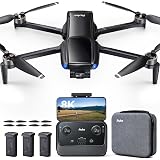
Mastering Your First Drone Flight: A Comprehensive Guide for Beginners
Embarking on your journey into drone piloting can be both exhilarating and a little daunting, especially when holding a new, sophisticated piece of technology. As the accompanying video adeptly highlights, understanding the fundamental principles of drone operation and safe practices is paramount for a successful and enjoyable experience. This guide will delve deeper into these essential aspects, providing a robust framework for new pilots to confidently navigate the skies.
Successful drone flight begins long before the propellers spin. It necessitates a thorough understanding of airspace regulations and meticulous pre-flight preparation. Prior to any flight, pilots must consult dedicated applications such as AirMap or Before You Fly, which provide critical information regarding local airspace restrictions, temporary flight restrictions (TFRs), and controlled airspace zones. These tools are indispensable for ensuring legal compliance and preventing potentially hazardous situations with manned aircraft or sensitive locations.
Establishing Command: Understanding Your Drone Controller
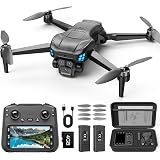
The drone’s remote controller serves as the pilot’s direct interface with the aircraft, translating every input into precise movements. Familiarity with each stick’s function is foundational for intuitive and controlled flight. The left stick typically governs vertical movement, controlling the drone’s altitude by increasing or decreasing thrust, and yaw, which dictates the drone’s rotation around its vertical axis. Conversely, the right stick manages translational movements, allowing the drone to move forward, backward, or slide left and right, known as pitch and roll respectively. Mastering these distinct controls is crucial for developing seamless flight maneuvers.
Many modern drone controllers integrate additional buttons and wheels that enhance operational efficiency. Features like a dedicated pause button can instantly halt the drone’s movement, maintaining its current position—an invaluable safety mechanism in unexpected situations. The Return to Home (RTH) button initiates an automated sequence, bringing the drone back to its takeoff point. However, expert pilots often advocate for manually flying the drone back to avoid potential miscalculations or reliance on automated systems that may not account for unforeseen obstacles. Furthermore, a gimbal control wheel allows for precise camera angle adjustments mid-flight, an essential tool for framing cinematic shots.
Navigating Flight Dynamics: Exploring Flight Modes
Contemporary drones are equipped with various flight modes, each designed for specific piloting scenarios and skill levels. Understanding these modes is pivotal for both safety and achieving desired flight characteristics. Cine mode, often referred to as Tripod mode, offers the slowest and most dampened controls, making it ideal for beginners learning the ropes or for capturing exceptionally smooth, cinematic video footage. In this mode, the drone’s responses to stick inputs are deliberately attenuated, providing a gentler learning curve and minimizing abrupt movements.
Normal mode provides a balanced flight experience, increasing the drone’s responsiveness and speed while typically keeping obstacle avoidance systems active. This mode is suitable for general flying and when navigating environments with predictable obstacles. Obstacle avoidance systems, while robust, are not infallible and should always be viewed as an aid, not a complete replacement for situational awareness. Finally, Sport mode, sometimes branded as Ludicrous mode by manufacturers, unlocks the drone’s maximum speed and agility. In this high-performance setting, obstacle avoidance is often deactivated, demanding precise manual control from the pilot. This mode is reserved for experienced operators seeking dynamic maneuvers or rapid transit.
Preparing for Takeoff: Drone Setup and Pre-Flight Checks
Before any flight, meticulous preparation of the drone itself is non-negotiable. This process commences with carefully unfolding the drone’s arms and propellers, following the manufacturer’s specific instructions found in the user manual. A critical step often overlooked by new users is the removal of the gimbal cover, which protects the delicate camera stabilization mechanism during transport. Operating the drone with the gimbal cover attached can lead to damage and impaired camera functionality.
Powering on the drone and its controller in the correct sequence is equally vital. Typically, the controller is activated first, followed by the drone. Many drones employ a double-press-and-hold method for power activation, signaling readiness with a distinct series of beeps. Once both devices are active, connect your smart device to the controller and launch the drone’s companion application. This app provides a live camera feed, flight data, and access to crucial settings, completing the pre-flight readiness sequence before initiating your first drone flight.
The Art of Repetition: Building Muscle Memory in Drone Piloting
The core of becoming a proficient drone pilot lies in the consistent development of muscle memory. Initial flights should focus on basic, isolated movements in a large, unencumbered open area. Begin with the drone facing away from you, as this orientation provides the most intuitive control mapping—pushing forward on the right stick moves the drone away, and pulling back brings it closer. Practice ascending, descending, rotating left and right (yaw), and translating forward, backward, left, and right until these individual actions feel natural and responsive.
The true test of piloting skill, however, emerges when the drone is facing towards you. In this scenario, the control inputs for translation (forward/backward, left/right) become inverted relative to your perspective, demanding a significant mental shift. Pushing the right stick forward, for instance, will now bring the drone closer, while pushing it left will cause it to slide right. This inverse relationship requires dedicated, deliberate practice. Continual repetition of these movements, observing the drone’s reaction while minimizing reliance on the screen, is the most effective method for hardwiring these complex spatial relationships into your muscle memory. Only after mastering individual movements should pilots attempt to combine them, such as performing an orbit, where simultaneous yaw and translational control are necessary to maintain a smooth curve around a subject.
Elevating Your Vision: Essential Drone Camera Settings and ND Filters
Beyond mastering flight, optimizing your drone’s camera settings is crucial for capturing high-quality aerial imagery. For many casual users and beginners, leveraging the drone’s automatic (auto) camera mode is a highly effective strategy. This mode intelligently adjusts parameters like ISO, shutter speed, and white balance to suit prevailing lighting conditions, delivering excellent results in approximately 90% of typical shooting scenarios. It removes the technical complexity, allowing pilots to concentrate fully on flight and composition.
For those seeking greater creative control, understanding manual camera settings becomes indispensable. The exposure triangle—ISO, shutter speed, and aperture (though drone cameras typically have fixed apertures)—forms the bedrock of manual photography. Keeping the ISO as low as possible (e.g., ISO 100) minimizes digital noise, preserving image clarity. The general rule for shutter speed in video is to set it at double your frame rate (e.g., 1/60th of a second for 30fps video) to achieve natural motion blur. White balance should be calibrated to match the ambient light temperature, with approximately 5500K to 5600K for sunny conditions and 6400K to 6600K for cloudy days.
Crucially, Neutral Density (ND) filters play a vital role in achieving proper exposure in bright conditions, particularly when adhering to the 180-degree shutter rule. These filters reduce the amount of light entering the camera sensor without affecting color, similar to sunglasses for your camera. Without ND filters, bright daylight would necessitate excessively fast shutter speeds to prevent overexposure, resulting in video footage that appears unnaturally sharp and jarring. Consequently, ND filters allow pilots to maintain the desired slower shutter speed for cinematic motion blur, even under intense sunlight.
Beyond Automation: The Realities of Obstacle Avoidance and Smart Features
While many drones boast sophisticated obstacle avoidance systems, relying solely on these technologies is a precarious approach. These systems, which utilize sensors like optical flow, ultrasonic, or infrared, are not infallible. Their effectiveness can be compromised by various factors, including low light conditions, highly reflective surfaces, thin objects like power lines or small branches, and even the drone’s speed. Furthermore, not all drones offer 360-degree obstacle avoidance; many possess sensors only on the front, back, and bottom, leaving the sides vulnerable. Therefore, developing robust manual flight skills is paramount, with obstacle avoidance serving as an additional layer of safety rather than a primary defense mechanism.
Conversely, smart flight features offer an exciting avenue for creative expression and ease of use. These pre-programmed flight paths, often accessible through the drone’s companion app, enable the drone to execute complex maneuvers automatically. Examples include ActiveTrack, which locks onto and follows a moving subject; QuickShots, which perform pre-set cinematic movements like dronies or orbits; and Waypoints, allowing pilots to plot a custom flight path. These features are invaluable for capturing professional-looking footage with minimal manual input, perfect for documenting adventures or creating dynamic content of yourself, friends, or family. Leveraging these intelligent flight modes can significantly enhance your aerial videography, provided you understand their operational parameters and limitations.
Taking Off: Your Drone Questions Answered
What should I do before flying my drone?
Before flying, check airspace regulations using apps like AirMap, and perform pre-flight checks such as unfolding the drone, removing the gimbal cover, and connecting your smart device to the controller.
What do the control sticks on a drone remote do?
The left stick typically controls the drone’s altitude (up/down) and yaw (rotation), while the right stick manages its forward, backward, left, and right movements.
What flight mode is best for beginners?
Cine mode, also known as Tripod mode, is ideal for beginners because it offers the slowest and most dampened controls, making it easier to learn and capture smooth footage.
How should a beginner practice flying their drone?
Begin by practicing basic, isolated movements in a large open area with the drone facing away from you. Focus on individual actions like ascending, descending, rotating, and translating until they feel natural.
Can I rely entirely on my drone’s obstacle avoidance system?
No, obstacle avoidance systems are not foolproof and can be unreliable in conditions like low light or with thin objects. They should be seen as an aid, not a substitute for manual piloting skills.